Choosing Geocaching Regions Strategically: Tips for 2026

Choosing geocaching regions strategically means defining the optimal target region for your next adventure based on specific search criteria, attributes, and filter options. Those who simply search at random waste time with unsuitable caches or empty areas. The good news: Geocaching.com now offers precise tools to help you select geocaching regions before you even leave the house. This guide shows you how to combine attributes, advanced search options, and distance heuristics so that every trip is a success.
What role do attributes play in the targeted selection of geocaching regions?
Attributes are the fastest way to define geocaching regions thematically and to weed out unsuitable caches before you even plan a route. A cache owner can assign up to 15 attributes per listing. These symbols appear directly in the app and on the website and give you at a glance information about the accessibility, suitability, and special features of a cache.
For region selection, attributes are valuable for two reasons. First, they help you narrow down a region thematically: Are you looking for a family-friendly area for a Sunday outing? Then filter by “Recommended for kids" and “Stroller accessible". Second, attributes function as exclusion criteria, for example, to directly remove caches with “No dogs" or “Not stroller accessible" from the results list. This makes planning less stressful and the results more relevant.
Premium members on Geocaching.com can specifically filter by attributes in the app to find suitable caches before departure. Particularly useful filter attributes for region selection are:
- Recommended for kids: Ideal for family tours in rural or urban-fringe regions
- Available in winter: Shows regions that are accessible even in snow and frost
- Scenic view: Highlights regions with special landscape value
- Wheelchair accessible: Filters areas for barrier-free tours
- Parking available: Important for regions only accessible by car
- No dogs: As an exclusion criterion if you are traveling with a dog
Pro Tip: Combine at least two attributes simultaneously to reduce the results list to truly suitable caches. A single attribute often yields too many hits; the combination of “Scenic view" and “Available in winter", for example, immediately shows you the most attractive winter regions.
Attributes set clear expectations for cache locations and improve both planning and the quality of the on-site experience. Those who consistently use attributes avoid nasty surprises such as blocked paths, unsuitable terrain, or lack of parking.
How to use advanced search options and filters to target regions?
The advanced search on Geocaching.com is the core of any targeted region selection. It allows you to precisely narrow down a region not only geographically but also in terms of content. Regions can be defined as a search radius around a postal code or specific coordinates, which is significantly more precise than searching by a place name alone.
Here's how to proceed step by step:
- Define starting point: Enter a postal code or GPS coordinates as the center of your search. Coordinates are more precise, especially if you want to explore a region away from settlements.
- Define search radius: Choose a radius in kilometers around your starting point. For day trips, a radius of 20 to 50 km is recommended.
- Activate “Exclude found caches": This filter hides all caches you have already found. This prevents you from planning a region that you have already exhausted.
- Use “Exclude hidden caches": If you don't want to see your own caches in the results list, activate this filter as well.
- Select cache type: Limit the search to Traditional, Mystery, Multi, or other types, depending on your goal for the tour.
- Filter difficulty and terrain ratings: Choose terrain and difficulty values appropriate for your fitness and equipment.
Pro Tip: Use coordinate search instead of postal code search if you are planning a region in nature. Many attractive geocaching areas are located between towns and are not optimally covered by a postal code search.
Advanced search options like “Exclude found items" reduce the results list to truly open caches within the desired radius. This is especially important for experienced geocachers who already have many finds in their home region. Those who ignore this filter may plan a tour to an area that offers few new caches for them personally.
For even deeper filtering, it's worth checking out Cachewerk's step-by-step geocaching guide, which summarizes practical tips for using search filters and attributes. Premium members benefit from significantly more filter options than free users, which makes planning noticeably more efficient.
How do you determine the optimal region size and the sensible search radius?
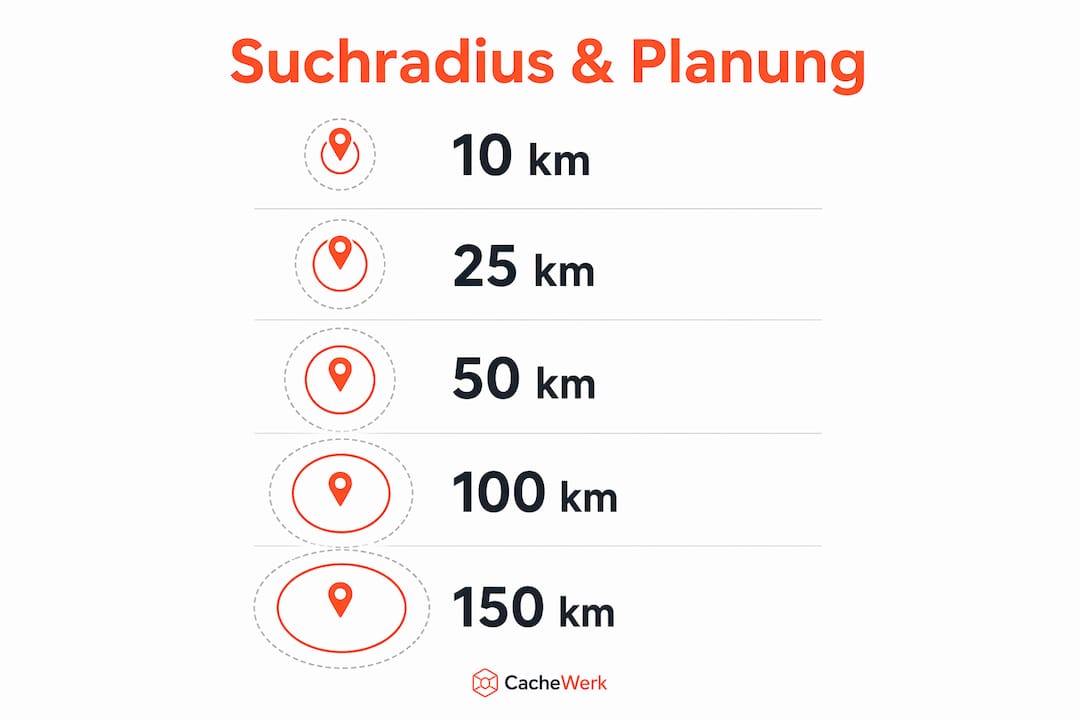
The choice of the right search radius determines whether a geocaching tour can be realistically planned or whether you spend more time in the car than outdoors. A proven rule of thumb from practice: A radius of about 50 km around your hometown generally covers most regular geocaching routines well.
The crucial point here is the difference between direct distance and actual driving distance. Experience shows that the driving distance is 1.4 to 1.5 times the direct distance. A cache located 50 km direct distance away therefore realistically means 70 to 75 km of driving. This is an important factor for planning day trips with multiple stops.
| Search Radius | Estimated Driving Distance | Suitable for |
|---|---|---|
| 10 km | 14 to 15 km | Short excursions and after-work tours |
| 25 km | 35 to 38 km | Half-day tours with multiple caches |
| 50 km | 70 to 75 km | Full-day tours and weekend excursions |
| 100 km | 140 to 150 km | Multi-day tours and vacation planning |
Small search radii have the advantage that you know the region well and can quickly switch between caches. The disadvantage: In densely cached areas, many caches are quickly found, and the results list shrinks with each visit. Large radii open up new regions but require more driving time and preparation.
For planning Pocket Queries, a radius that suits your driving style and available time is recommended. Those who cache regularly should define their home zone as a fixed radius and gradually expand it as soon as the nearby caches have been completed. This keeps geocaching adventure planning structured and motivating.
Which strategies help to find thematic geocaching regions?
Thematic regions are created not by geographical boundaries, but by combining cache type filters and keyword searches. Those who specifically look for challenge caches or mystery caches will find regions that perfectly match their play style.
Premium filters on Geocaching.com allow for a drastic reduction of results by cache type and name components. A concrete example: In Michigan, the results list shrinks from 34,503 to 346 caches if you simultaneously filter by "Mystery" type and "challenge" in the name. This shows how precisely thematic region definitions are possible.
Practical strategies for thematic regions:
- Filter by cache type: Specifically select "Mystery", "Multi-Cache", or "EarthCache" to find regions with a particular gameplay focus.
- Keyword search by name: Search for terms like "challenge", "series", or "night" in the cache name to identify thematically bundled areas.
- Combine difficulty filters: For challenging regions, filter by D4 and D5 to find areas with high puzzle or terrain requirements.
- Thematic Pocket Queries: Create separate Pocket Queries for different cache types and compare which regions show particularly dense thematic clusters.
- Favorite points as a quality indicator: Sort results by favorite points to see the most popular caches in a thematic region first.
Theme-oriented filters drastically reduce search results and promote specialized experiences. This is particularly valuable when you are planning a trip and are specifically looking for certain cache types in an unfamiliar region. Instead of manually reviewing hundreds of listings, the right filter provides a manageable selection in minutes.
What are the common mistakes in regional geocache selection?
The most common planning errors in region selection do not arise from a lack of motivation, but from a failure to use filters. Those who know these pitfalls plan better and experience less frustration on site.
- Overestimating cache density: Many regions look densely populated on the map, but after deducting already found caches, they have hardly any open targets left. Always activate the "Exclude found" filter first.
- Ignoring already found caches: Without this filter, you might plan a tour that overlaps 80 percent with the last one. This costs time and motivation.
- Overlooking nature reserves and access restrictions: Some regions contain caches in restricted areas or on private land. Attributes such as "Parking available" and "Wheelchair accessible" provide initial clues, but do not replace local research.
- Not using attributes as exclusion criteria: If you are traveling with a dog and do not filter for "No dogs," you risk being faced with closed gates.
- Choosing too large a radius: A radius of 200 km certainly yields many results, but makes sensible daily planning impossible. Remain realistic.
„Targeted filtering before defining the region prevents planning errors in empty areas and increases the relevance of the results in relation to the personal found list." Geocaching Journal: Setting Useful Search Criteria
Good preparation also means using the map not just as a geographical tool, but as a filter result. Those who filter first and then look at the map immediately see where the real potential lies. Those who look at the map first and then filter get lost in the sheer volume. This difference in order makes a big difference in practice for the quality of your geocaching adventure.
Key Takeaways
Choosing geocaching regions strategically is best achieved by combining attribute filters, advanced search with coordinates, and a realistic search radius of 50 km for day trips.
| Point | Details |
|---|---|
| Attributes as filter basis | Up to 15 attributes per cache help to narrow down regions thematically and exclude unsuitable caches. |
| Utilize advanced search | Coordinate-based search with “Exclude found" provides more precise results than a pure place name search. |
| Realistic search radius | 50 km direct distance corresponds to 70 to 75 km driving distance. This is the guideline for manageable day trips. |
| Employ thematic filters | Cache type and name filters reduce thousands of results to manageable, thematically relevant lists. |
| Avoid errors through filters | Those who filter first and then define the region avoid empty areas and duplicate routes. |
My Experiences with Targeted Region Selection in Geocaching
For a long time, I just opened the map and looked for white spots in my found list. That works, but it's inefficient. The moment I started filtering first and then looking at the map completely changed my planning.
The biggest gain was the "Exclude found" filter combined with a fixed coordinate center point. Suddenly, I could see at a glance which regions still truly held potential for me. Before, I often felt that a region was "empty," even though dozens of caches were waiting for me there, which I simply hadn't found because they were lost in my unfiltered view.
In my opinion, a Premium membership is worth it precisely for this purpose. Not because of the caches themselves, but because of the depth of filtering. Anyone who seriously wants to select geocaching regions cannot avoid the Premium filters. The ability to filter by attributes, cache type, and name components simultaneously easily saves 30 minutes per planning session.
What I always do today: I define my search radius not by feeling, but by available driving time. Two hours of driving there and back means a maximum radius of 50 km. It sounds simple, but it has made my tours much more relaxed.
— Benedikt
Special Hides from Cachewerk for Your Next Adventure
If you know which region you want to explore next, the next question arises: What will you hide there if you want to place a cache yourself?
Cachewerk offers a wide selection of special hides for geocachers that are suitable for both urban and rural regions. Whether weather-resistant camouflage hides for the forest, inconspicuous urban camouflage solutions for the city, or 3D-printed PETG special containers for particular locations. Cachewerk's assortment is precisely tailored to the requirements you have in mind when specifically selecting regions. Check out the special hides and find the right hide for your next region.
FAQ
What are geocaching attributes and what are they used for?
Geocaching attributes are symbols in the cache listing that indicate characteristics such as child-friendliness, winter availability, or accessibility. Cache owners can assign up to 15 attributes that help seekers to specifically filter for suitable caches and regions.
How do I find geocaching regions with many open caches remaining?
Use the advanced search on Geocaching.com with the “Exclude found caches" filter activated and define the search radius using coordinates instead of a place name. This way, you can immediately see which regions still have untapped potential for you personally.
What is a reasonable search radius for a day trip?
A radius of 50 km as the crow flies corresponds to an actual driving distance of 70 to 75 km and is the proven guideline for easily plannable day trips. Larger radii are only worthwhile for multi-day trips or holiday planning.
How do I specifically find Challenge Caches or Mystery Caches in a region?
In the advanced search, set the cache type filter to "Mystery" and add a name search for "challenge". This combined filter drastically reduces the results and shows you thematically relevant caches in your desired region.
Is a premium membership worthwhile for region selection?
Premium members have access to significantly more filter options, including attribute filters, cache type filters, and Pocket Queries. Those who regularly want to select new regions for geocaching will noticeably benefit from these extended possibilities.