Create custom trackables: 3D printing & laser engraving 2026

Many geocachers know the problem: standardized trackables all look the same and often do not survive the rigors of outdoor adventures for very long. Generic travel bugs lack personality, while inferior materials quickly corrode or break. Individual trackables created using modern manufacturing methods like 3D printing and laser engraving for trackables offer a solution: they combine unique designs with exceptional durability. This article shows you how to use targeted material selection and thoughtful design to create trackables that elevate your geocaching experiences to a new level.
Table of Contents
- Key Insights
- What you need for individual trackables
- How does 3D printing of trackables work?
- Pros and cons of laser engraving on stainless steel
- Best practices for design and code integration
- Individual geocaching materials at CacheWerk
- Frequently Asked Questions
Key Insights
| Point | Details |
|---|---|
| Laser engraving on stainless steel | Offers extreme weather resistance and precise markings for long-lasting trackables |
| 3D printing flexibility | Allows for complex shapes and individual designs using materials like PETG or PLA |
| Material affects costs | Stainless steel is more expensive but more durable, while plastics are cheaper for creative shapes |
| Integrate QR codes | Facilitate tracking, prevent counterfeiting, and significantly improve functionality |
| Clear ordering processes | Transparent pricing and simple design guidelines significantly accelerate production |
What you need for individual trackables
Before you order your first personalized trackable, you should understand a few basic requirements. The choice between 3D printing and laser engraving depends on your design ideas, the desired material, and your budget. Both methods require specific preparations that significantly influence the production process.
For 3D-printed trackables, you need a digital 3D model. You can create this yourself or find one on platforms like MakerWorld, Printables, or Thingiverse. The process includes material selection, color choice, and quantity specification, as well as providing a 3D model. Most providers accept common file formats such as STL, OBJ, or 3MF. You can either upload the file directly or send a link to your preferred design.
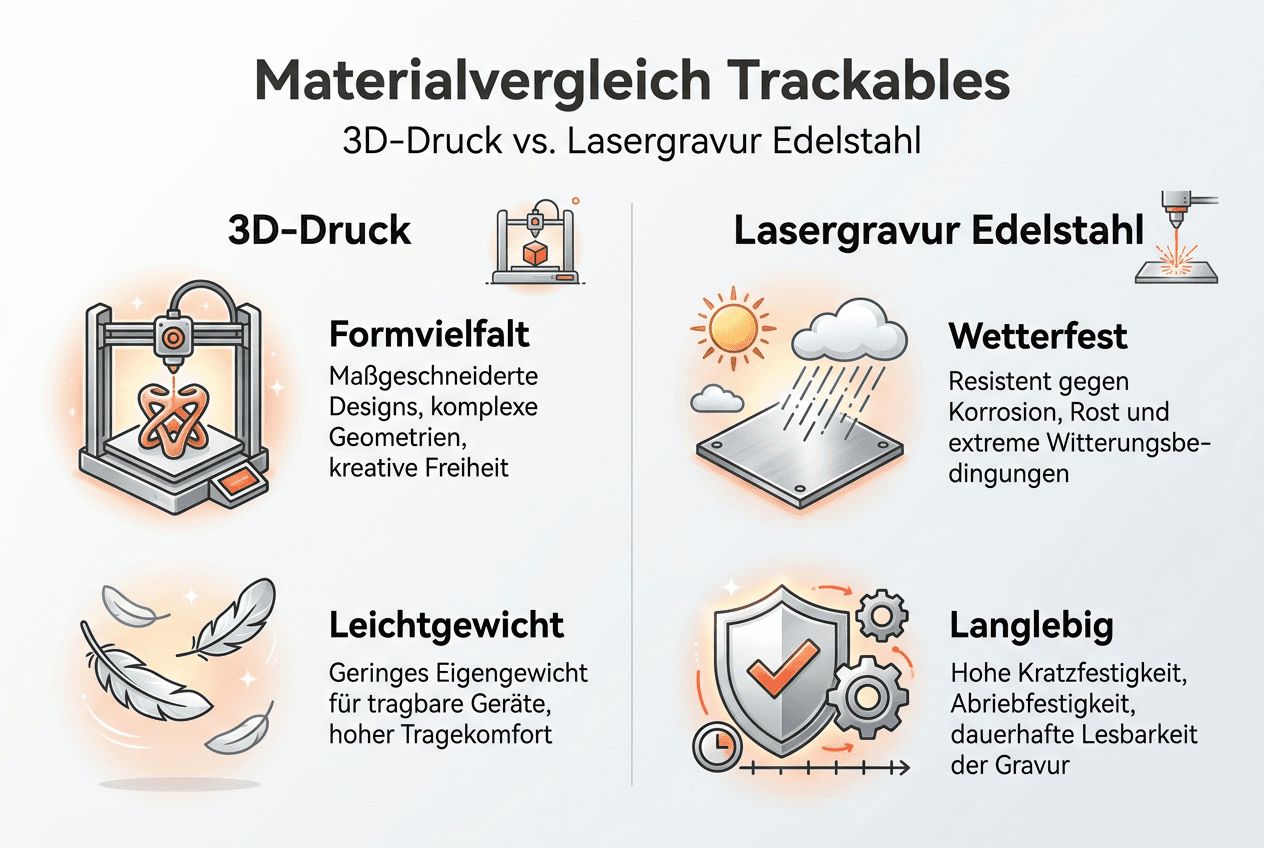
The choice of material significantly determines the look and durability of your trackable:
- PLA is suitable for decorative designs with less weather exposure
- PETG offers higher resistance to moisture and UV radiation
- Stainless steel guarantees maximum durability for extreme outdoor conditions
- Wood creates a natural aesthetic but requires additional protection
Pro Tip: Choose PETG for 3D-printed trackables that are regularly exposed to rain and temperature changes. The material combines flexibility with weather resistance and costs only slightly more than PLA.
When ordering, you must specify further parameters. Color, quantity, and shipping options influence the final price. Most providers work with a base fee plus material-dependent additional costs. Understand this price structure in advance to avoid surprises.
| Criterion | 3D Printing | Stainless Steel Laser Engraving |
|---|---|---|
| Design freedom | Very high, complex 3D shapes possible | Limited to flat surfaces |
| Durability | Medium to high depending on material | Extremely high, corrosion-free |
| Cost per unit | Lower for simple designs | Higher, but economical in the long run |
| Production time | Typically 1 to 5 days | 2 to 7 days depending on complexity |
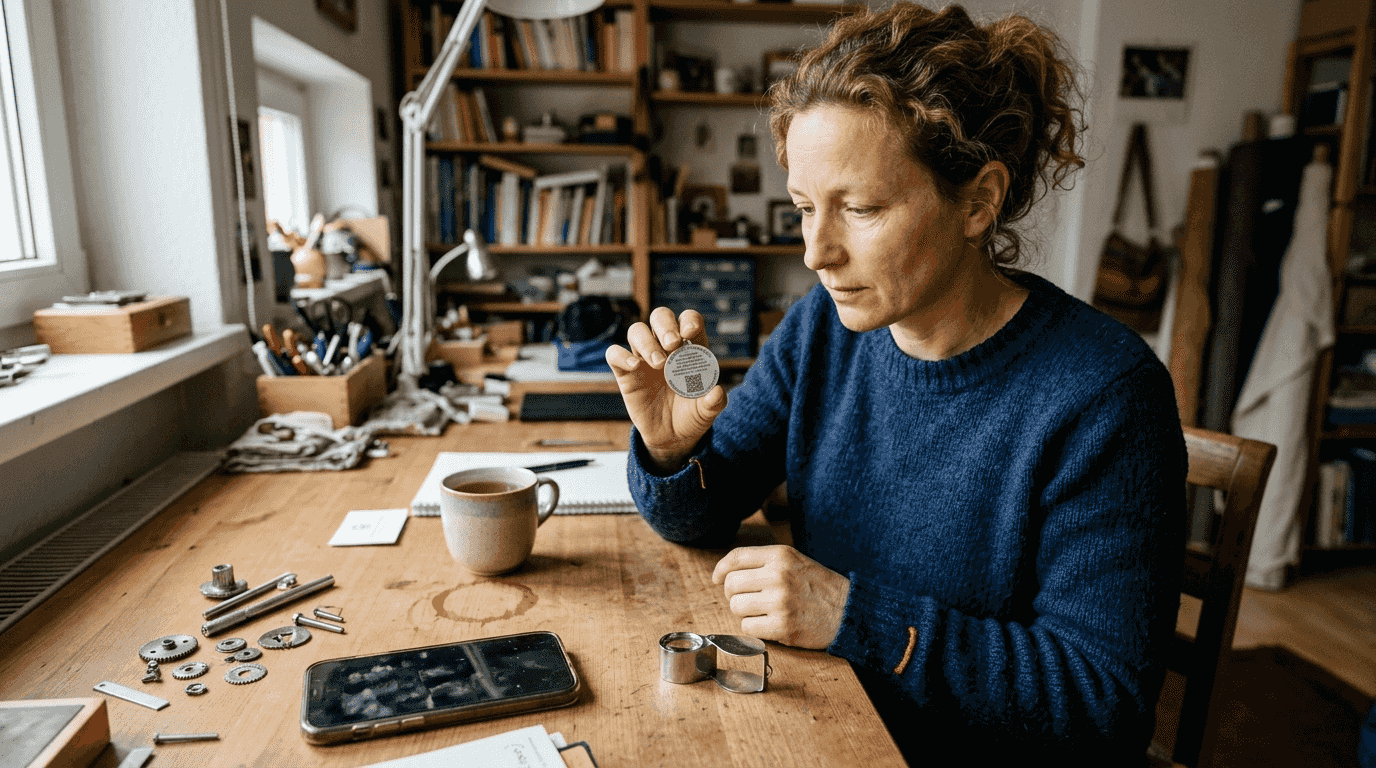
For laser-engraved trackables on stainless steel, you need a vector graphic or high-resolution image file. Formats such as SVG, AI, or PDF work optimally. Note that overly fine details can impair legibility. Clear lines with at least 0.3 mm width and font sizes from 8 point ensure the best results.
QR codes as design elements offer additional functionality. They allow for quick tracking and can contain individual data such as serial numbers or links to logbooks. Before ordering, check whether your code remains readable under different lighting conditions. A contrast ratio of at least 3:1 between the engraving and the metal surface is recommended.
How does 3D printing of trackables work?
The 3D printing process for trackables follows a structured workflow that transforms your vision into a tangible object. This section leads you step-by-step through the entire ordering process, from design selection to the delivery of your finished trackable.
-
Upload or link design: Upload your 3D model file directly to the provider's platform or send a link to your design on MakerWorld, Printables, or similar platforms. Most services accept STL, OBJ, and 3MF formats without conversion.
-
Select material and color: Decide on the appropriate filament. PETG is preferred by many geocachers because it is UV-resistant and water-repellent. Choose from available colors, with high-contrast tones improving visibility in the field.
-
Specify quantity and shipping options: Enter the desired quantity. Monolith 3D emphasizes an uncomplicated process, clear pricing, and support for small quantities. Choose between standard and express shipping depending on urgency.
-
Complete order: Check all details and complete the order. The base fee covers setup and machine time, while material costs are calculated separately. Transparent providers show all costs before the final confirmation.
-
Production and delivery: After payment is received, printing begins. Depending on complexity and size, this takes between a few hours and several days. You will receive your finished trackable by mail, often with tracking information.
Pro Tip: Order a prototype sample before having larger quantities produced. This allows you to test the size, feel, and durability in real-world use and make adjustments if necessary.
The quality of the print depends on several factors. Layer height, print speed, and temperature influence the surface finish. Professional providers optimize these parameters automatically. Different specifications apply to trackables designed with laser engraving, which are explained in the next section.
An important advantage of 3D printing is the ability to integrate cavities and attachment points directly into the design. You can create loops for chains, recesses for logbooks, or even multi-part designs. This flexibility clearly surpasses traditional manufacturing methods.
Keep in mind that not all designs are equally printable. Overhangs over 45 degrees require support structures that must be removed after printing. Very thin walls under 1 mm can become unstable. Consult 3D printing workflow and cost resources to optimize your design.
Pros and cons of laser engraving on stainless steel
Laser engraving on stainless steel offers a premium solution for geocachers who value durability and a professional look. This method has specific strengths and limitations that you should know before making a decision.
Advantages of stainless steel laser engraving:
- Extreme weather resistance significantly surpasses all plastic variants
- Corrosion-free surface lasts for decades without loss of quality
- Precise detail reproduction allows for the finest lettering and graphics
- Professional appearance gives trackables high recognition value
- Scratch resistance protects codes and designs from mechanical wear
Laser engraving on stainless steel offers durable and professional processing for travel bugs, though design complexity influences costs and legibility. The investment is especially worthwhile for trackables that are intended to stay in circulation for years.
Disadvantages and limitations:
- Higher cost per unit compared to 3D printing
- Design restriction to two-dimensional surfaces
- Very complex designs can impair legibility
- Fine details under 0.2 mm are difficult to reproduce
- Longer production times for elaborate patterns
| Aspect | Optimal | Problematic |
|---|---|---|
| Font size | 8 point and up | Below 6 point |
| Line width | 0.3 mm or thicker | Below 0.2 mm |
| Contrast | Deep engraving, dark filling | Flat, shiny engraving |
| QR code size | At least 15x15 mm | Below 10x10 mm |
For optimal results, you should prefer clear, easy-to-read designs. Avoid too many fine details in a small area. A font size of at least 10 point guarantees legibility even in poor lighting conditions. Line widths from 0.4 mm remain permanently sharp and clearly recognizable.
Pro Tip: Combine laser engraving with anodized color fills for maximum contrast. The engraving is filled with special pastes that bond permanently with the metal. This creates colored accents that significantly improve legibility.
QR codes on laser-engraved stainless steel trackables work excellently if you follow a few basic rules. Choose a minimum size of 15x15 mm and use Error Correction Level H for maximum error tolerance. Test the code after production with various smartphone cameras under different lighting conditions.
The durability of stainless steel trackables often justifies the higher initial investment. While 3D-printed variants show signs of wear after two to three years, laser-engraved stainless steel trackables remain virtually unchanged even after a decade. For limited editions or anniversary trackables, this method is unrivaled.
Explore various laser engraving design options to gather inspiration for your project. From classic lettering to detailed logos and artistic patterns, diverse designs can be realized.
Best practices for design and code integration
Effective trackable designs combine aesthetics with functionality. This section provides you with proven strategies to make your trackables not only attractive but also usable for the long term and tamper-proof.
Codes and QR integration:
- Integrate unique identifiers such as trackable codes and QR codes for tracking and anti-counterfeiting
- Position QR codes on flat, easily accessible surfaces
- Use Error Correction Level H for maximum scan reliability
- Encode individual data such as serial numbers or encrypted links
- Test codes before mass production under various conditions
Legibility is crucial for the longevity of your trackable. A code that is no longer scannable after a few months loses its value. Choose fonts with clear, distinguishable characters. Avoid decorative fonts for critical information like tracking numbers.
“A well-designed trackable tells a story but remains functional. Codes must be readable even after years in the field, while the design reflects the owner's personality.”
Tamper protection through intelligent encoding:
Individually generated QR codes with encrypted data make counterfeiting significantly more difficult. Link the code to a database that verifies authenticity. Each scan can be logged, allowing suspicious activity to be noticed quickly. This method particularly protects valuable or limited-edition trackables.
Design robustness:
- Avoid very thin lines that disappear with wear
- Choose high-contrast color combinations for optimal visibility
- Position important information centrally, protected from edge damage
- Integrate clear zones around codes to minimize mechanical damage
- Test designs for legibility in direct sunlight and shade
Pro Tip: Create a test matrix with different font sizes, line widths, and QR code dimensions. Have prototypes produced in small quantities and test them under real-world conditions before investing in larger quantities.
A simple rule applies to font sizes: if you cannot read the text effortlessly from one meter away, it is too small. On trackables with a 30-40 mm diameter, main information should be at least 10 point. Secondary details can be reduced to 8 point but should never be smaller.
The positioning of elements significantly influences the user experience. Place QR codes on the back or underside, where they are protected but can be easily scanned. Main designs belong on the front, while tracking numbers are optimally positioned on the side or back.
Explore QR code design resources to learn advanced techniques like logo integration or color codes. Modern QR codes can have up to 30 percent of their area occupied by graphic elements without impairing scannability.
Individual geocaching materials at CacheWerk
Now that you know the basics of individual trackable design, we would like to point you to a trusted source for high-quality geocaching equipment. CacheWerk offers you a wide range of materials to enrich your geocaching adventures.
At CacheWerk, you will find not only standard hides that are perfect for urban and rural environments, but also specialized equipment and accessories for demanding projects. The platform combines quality with innovation and offers personalized trackables including laser engraving on stainless steel. Benefit from expert advice, transparent prices, and fast shipping to make your individual geocaching visions a reality.
Frequently Asked Questions
How long does it take to manufacture a custom-designed trackable?
Production time varies depending on the chosen method and design complexity. 3D-printed trackables are typically ready within one to five days, depending on size and printing parameters. Laser engraving on stainless steel usually requires two to seven days, as material preparation and quality control require additional time. Express options shorten the waiting time for an additional fee. Plan for at least two weeks for individual bulk orders to avoid delays.
Which materials are best suited for custom trackables?
Stainless steel offers the highest durability and weather resistance, ideal for trackables with a lifespan of decades. PETG is the best choice for 3D-printed variants, as it resists UV radiation and moisture better than PLA. PLA is suitable for decorative indoor trackables or designs with lower mechanical stress. Wood creates a natural aesthetic but requires regular maintenance and sealing against weather conditions. Your choice of material should reflect the planned location of use and the desired durability.
How can I ensure my QR code remains readable?
Choose QR codes with a minimum size of 15x15 mm and use Error Correction Level H for maximum fault tolerance. High-contrast engravings with deep impressions remain scannable even if dirty. Test the code under various lighting conditions, including direct sunlight and shade, before producing larger quantities. Avoid overly fine details or complex background patterns in the QR area. Position codes on protected surfaces to minimize mechanical damage. Regular cleaning with soft cloths maintains scannability for years to come.
What does the production of custom trackables cost on average?
Costs vary significantly depending on the method, material, and quantity. 3D-printed PETG trackables typically cost between 5 and 15 euros per piece for small quantities. Laser-engraved stainless steel variants range from 15 to 40 euros, depending on size and design complexity. Larger orders often reduce the unit price by 20 to 30 percent due to volume discounts. You should factor in additional costs for color fills, surface treatments, or express production. Obtain detailed quotes that list all components transparently.
Can I modify my existing trackable design later?
For 3D-printed trackables, you can adjust the digital model at any time and have it reprinted. For items already produced, subsequent changes are limited. Laser engravings on stainless steel are permanent and cannot be removed, though additional engravings are possible. Plan your design carefully in advance and use prototypes to identify any need for adjustments early on. Many providers offer digital preview services that help you visualize the final result before production.