
Trackable Workflow for Geocachers: Step by Step
A clean outdoor tracking workflow in geocaching involves five steps: activate the trackable → physically prepare it to be weather-resistant → log it correctly upon finding (Retrieve, Grab, or Discover) → release it via "Dropped off" upon placement → regularly monitor as the owner. Knowing this sequence significantly reduces the loss of trackables and keeps the travel history on Geocaching.com clean.
Most important rules beforehand:
- Wait 2–3 days before you "grab" a trackable or mark it as missing as the owner. Many finders upload their logs with a delay.
- The tracking number is a password. It must never appear in public logs or photos.
- Trackables are not trade items (SWAG) — they travel, they are not kept.
Table of Contents
- How does the complete outdoor trackable workflow work?
- What log types are there and when do you use which one?
- How do you properly monitor your trackables as the owner?
- What containers and materials are suitable for trackables?
- What do you do if something goes wrong?
- Practical checklists and templates for release
- Key Takeaways
- What I've learned after many trackable releases
- Cachewerk sets for your next trackable release
- Useful sources for further reading
How does the complete outdoor trackable workflow work?
Step 1: Activate and formulate mission
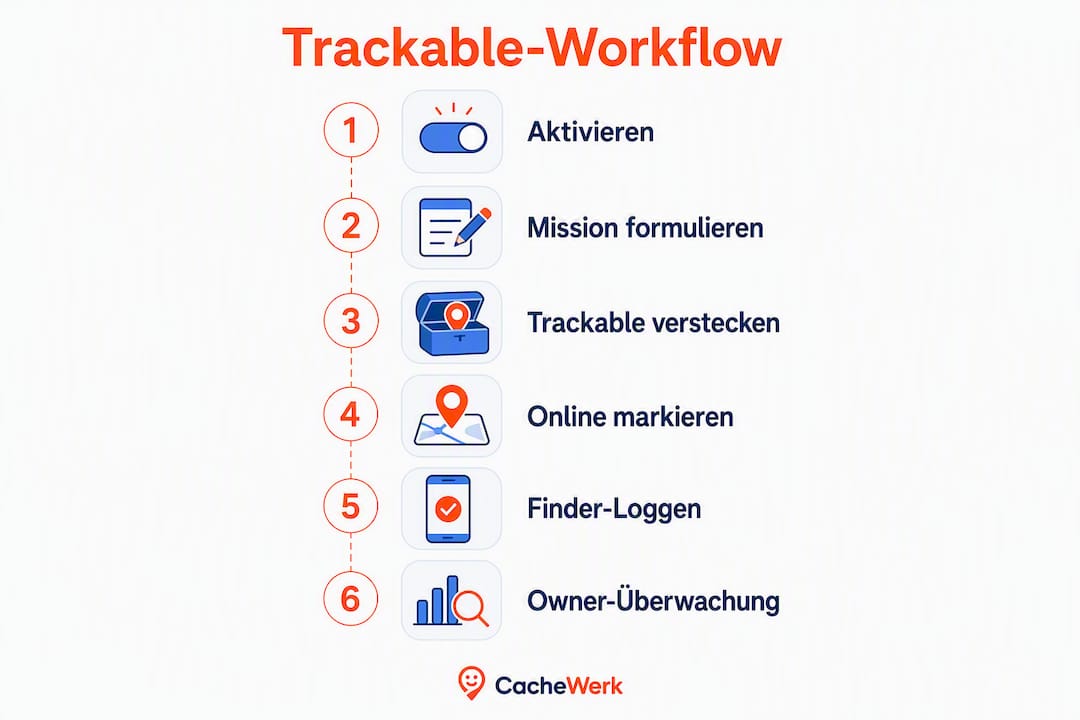
Every new trackable comes with an activation code. You enter this on Geocaching.com under "Activate a Trackable Item". Without activation, the trackable does not exist online. You formulate the mission directly during activation: short, clear, achievable. Example: "Visit as many countries in Europe as possible." Complex tasks reduce the chance that a finder will pick up the trackable at all.
Step 2: Physical preparation
- Securely attach tag to the object so it doesn't come loose.
- Cover or laminate the tracking number — never openly visible.
- Choose a weather-resistant container: PETling, nano container, or ammo box.
- Include a logbook so finders can log without a smartphone.
Step 3: Place trackable in cache and mark online
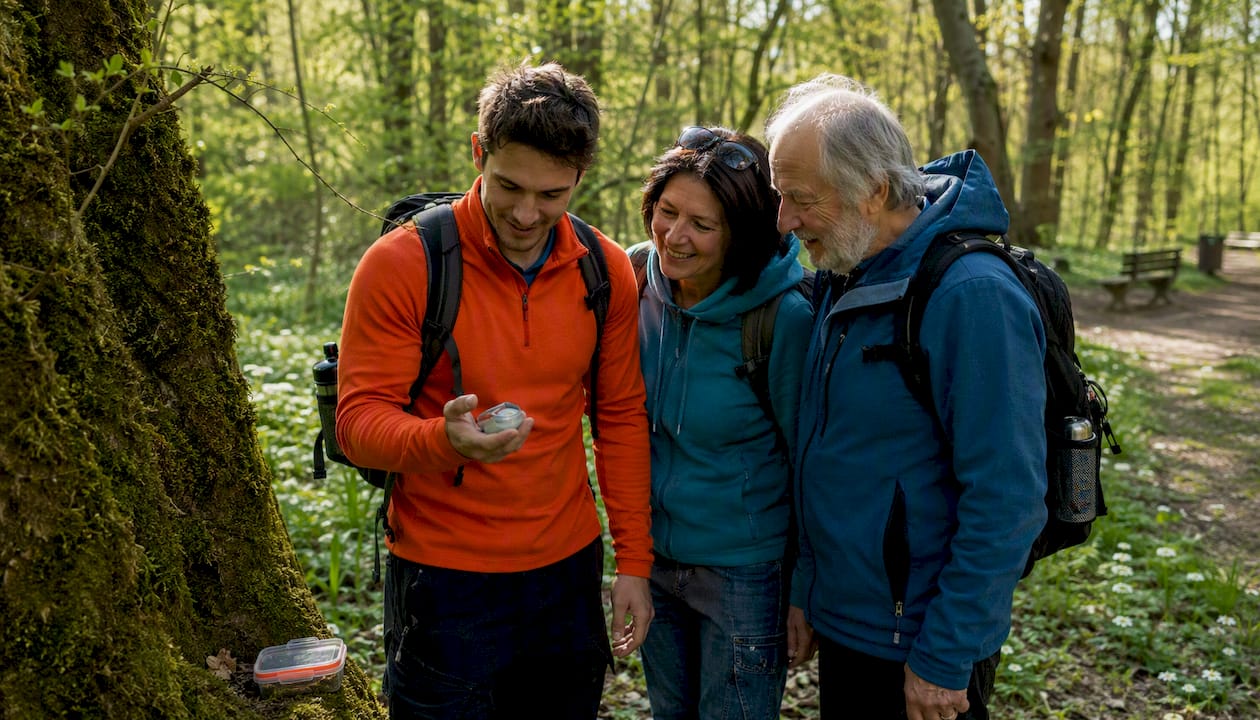
Physically place the trackable in the cache. On Geocaching.com, then go to the cache page and, when logging, select your trackable from the inventory under "Dropped off any Travel Bugs?". Multiple trackables can be selected simultaneously by Ctrl-clicking.
Step 4: Finder workflow (Retrieve, Grab, Discover)
Anyone who physically takes the trackable logs it via the trackable page on Geocaching.com with the log type "Retrieve" or "Grab". The trackable then moves into the finder's digital inventory. At the next cache, the finder selects "Dropped off" when logging the cache and releases the trackable.
Step 5: Owner monitoring
Activate watchlist, regularly check logs, review image uploads. Actively monitoring your trackables helps you identify problems early.
Pro tip: Before placing it, check if the target cache even allows trackables. Some cache types don't even display the inventory option.
What log types are there and when do you use which one?
According to CacheWiki, there are three relevant log types that are clearly distinct from each other:
- Retrieve — You have removed the trackable from the cache that was listed online as its current location. The trackable moves into your inventory.
- Grab — You have the trackable physically, but it is still listed elsewhere online (e.g., because the previous finder hasn't logged it yet). Only use "Grab from somewhere else" if you actually have the item in your hand.
- Discover — You have seen the trackable but have not taken it. The sighting is documented, the inventory does not change.
Specific sequence for "Retrieve":
- Read the tracking number from the object (do not photograph).
- Go to Geocaching.com → find the trackable page → select "Log Trackable".
- Select log type "Retrieved it", write a short text.
- Trackable now appears in your inventory.
- At the next cache log: "Dropped off any Travel Bugs?" → select trackable → done.
Pro tip: If the online inventory is contradictory (trackable is listed elsewhere online, but physically with you), first select "Write Note" and contact the owner. Only if there is no response, use "Grab from somewhere else".
How do you properly monitor your trackables as the owner?
Good owner practice means: actively observing, being patient, and communicating kindly.
- Set watchlist: Activate the notification function on the trackable page so you receive an email for every new log.
- Regularly check logs: Many finders upload their entries with a delay. A few days of patience are normal.
- Review image uploads: Photos sometimes show where the trackable is currently located, even if the log text reveals little.
- Contact finders: Be friendly, concise, and without reproach. A hint about the next steps is sufficient.
Template for a finder message:
Trackables are game pieces on a journey, not trade items. Keep the mission simple and achievable — then the trackable will actually continue to move.
Pro tip: Message the finder before you perform a "Grab". A direct conversation resolves most problems faster than a forced log intervention.
What containers and materials are suitable for trackables?
Materials and Fastening
PETG-printed containers and PETlings are the first choice for outdoor caches: dimensionally stable, UV-resistant, and waterproof. Stainless steel fasteners prevent the tag from coming loose. Weatherproof logbooks belong in every container that stays outdoors for longer.
You best protect the tracking number by covering it with a sticker or attaching the tag in such a way that it cannot be easily read. Geocaching.com distinguishes between the secret tracking number and the public TB reference number — only the latter may appear in logs or photos.
Cachewerk products at a glance
| Product | Suitable for | Special feature |
|---|---|---|
| Geocaching Starter Bundle 1 | Beginners, first trackable release | PETling + logbook + holder |
| Geocaching Starter Bundle 2 | Hanging or exposed caches | PETling + logbook + suspension |
| Ammo Box Cache Trick Edition | Medium-sized outdoor caches | Weatherproof, camouflaged, robust |
| Screw Cache with Magnet | Urban nano caches | Deceptively real screw look |
| Survey Point Cache | Permanent outdoor caches | 3D printed, PETling compatible |
| Rusty Bolt Cache | Urban nano missions | Rusty bolt, inconspicuous |
Environment and Safety in Germany
Never place caches in nature reserves or protected areas. No cache should endanger road traffic or startle passersby. Before placing, a quick look at local regulations of the municipality or forest office is worthwhile.
What do you do if something goes wrong?
| Problem | Immediate action | Next step |
|---|---|---|
| Trackable physically there, listed elsewhere online | Wait 2–3 days | Contact last finder |
| Finder has trackable, but hasn't logged it | Send friendly message | After 1 week: consider "Grab" |
| Trackable no movement for weeks | Check watchlist, filter log history | Set "Mark Item Missing" |
| Duplicate log entry | Inform owner via message | Have log deleted |
| Tracking number posted publicly | Contact owner immediately | Involve Geocaching.com support |
Important Do's and Don'ts:
- Never post the tracking number publicly, not even for troubleshooting.
- Always contact the owner before you "grab" another person's trackable.
- Marking as "Missing" can be done by both the owner and geocachers on site to clear inventory discrepancies.
Practical checklists and templates for release
Release Checklist
- [ ] Trackable activated on Geocaching.com (activation code entered)
- [ ] Mission formulated: short, clear, achievable
- [ ] Tag securely attached, tracking number covered
- [ ] Weather-resistant container chosen (PETling, ammo box, etc.)
- [ ] Logbook included
- [ ] Cache checked for trackable compatibility
- [ ] Trackable logged online as "Dropped off"
- [ ] Watchlist activated
- [ ] First logs checked after 3–5 days
Example Mission Texts
Variant 1 (Travel Destinations): "My goal is to visit as many different countries as possible. Take me with you when you travel abroad and place me in a cache there!"
Variant 2 (Country Collection Mission): "I collect countries! Every country I'm dropped off in will be visible in my log history. Help me fill the map."
Variant 3 (Cache Count): "My goal: visit as many caches as possible. Just drop me in the next cache you find."
Key Takeaways
A functional trackable workflow stands or falls with three things: correct activation, the right log type at the right moment, and patient owner communication.
| Topic | Details |
|---|---|
| Activation and Tracking Number | Activate trackable before placing; never show tracking number publicly. |
| Correctly using log types | Retrieve for physical removal, Grab only if trackable is actually in hand, Discover for mere sighting. |
| 2–3 Day Waiting Rule | Wait at least 2–3 days before any grab or "Mark Item Missing" and contact the finder. |
| Weatherproof equipment | PETling, PETG containers, and stainless steel fasteners protect trackables outdoors long-term. |
| Cachewerk Products | Starter Bundles 1 and 2, Ammo Box, Screw Cache, Survey Point, and Rusty Bolt Cache cover all scenarios. |
What I've learned after many trackable releases
The most common mistake owners make isn't incorrect logging. It's having the wrong expectations. If you release a trackable and get nervous after three days because no log has appeared yet, you're intervening too soon. And precisely this intervention, a premature grab or an impatient message, destroys the travel history and frustrates finders who actually did everything correctly.
What truly helps: a simple mission, a robust container, and the willingness to let go. Trackables that start with a clear task and good material move. Those that start with a novel as a mission text and a fragile tag stay put.
At Cachewerk, we've learned that the combination of a weatherproof PETling, a hidden tracking number, and a single-line mission yields the best results. Not because it's particularly creative, but because it's immediately understandable for every finder.
Cachewerk sets for your next trackable release
Anyone who wants to equip a trackable professionally saves themselves the search for individual parts. Cachewerk's Starter Bundle sets provide everything in one: a weatherproof PETling, logbook, and suitable holder or suspension. For beginners, the Geocaching Starter Bundle 1 is the most direct entry point. If you want to place trackables in urban environments, opt for the Rusty Bolt Cache or the Screw Cache with Magnet. For robust outdoor caches with more space, the Ammo Box Trick Edition remains the most reliable choice.
All products can be found directly in the Cachewerk shop. Take a look, choose the right set, and send your next trackable on its journey.
Useful sources for further reading
- Logging Trackables – CacheWiki: Explains all log types, the differences between Retrieve and Grab, and the rule for tracking numbers.
- Geocaching.com: How to Use a Travel Bug: Official guide to tracking numbers, TB reference, and Discover logs.
- Geocaching.com: Activate a Trackable: Step-by-step form for activation.
- Travelbugs Tips and Tricks – ffmann.de: Monitoring practice, watchlist usage, and dealing with delayed logs.
- The Difference Between SWAG and Trackables – Geocaching Blog: Why trackables are not trade items and how missions should be formulated.
- Finding a Geocache: Step-by-Step Workflow – Cachewerk: Supplementary workflow for finding and logging geocaches.
Reminder: The tracking number is a password. Never post it publicly, not even in help requests or forum comments.