What are Geocaching Bookmarks? Your 2026 Guide

Geocaching bookmarks are personal collections of geocaches for individual organization of your caching. You create these lists yourself, name them freely, and fill them according to your own criteria. On Geocaching.com, Premium Members have access to up to 100 such lists since March 2026. In addition, there is a collaborative function that allows joint editing directly in the app. For those who plan their tours in advance instead of searching spontaneously, Geocaching bookmarks offer a tool that makes their caching noticeably more structured.
How to practically create and use Geocaching bookmarks?
Creating a bookmark list on Geocaching.com is straightforward. You navigate to the “My Profile” section on the website, select “Bookmark Lists” there, and click on “Create New List”. Then you give it a name, decide whether the list should be public or private, and add caches by clicking on the bookmark icon on each cache page.
The real strength lies in categorization. Experienced geocachers use bookmarks to specifically mark caches requiring special equipment or with a higher difficulty level to make their search more efficient. Useful categories include, for example:
- By Region: “Bavaria Vacation 2026”, “Hamburg Weekend”
- By Type: “Traditional Only”, “Multi-Caches for Families”
- By Difficulty: “D5/T5 Targets”, “Beginner-Friendly”
- By Equipment: “Requires Climbing Gear”, “Only at Low Tide”
The naming determines how quickly you find the right list in the field. Short, descriptive names beat long sentences. “Ruhr Area Industry” is better than “All caches I want to do in the Ruhr Area on my next tour”.
Synchronization with the official Geocaching app happens automatically as soon as you are logged in. Your lists appear under the “Lists” menu item and can be displayed directly on the map. The bookmark icon in the app not only serves to save caches but also as a context tool when creating your own cache listings.

Pro Tip: Create a list called “Next Tour” and clear it completely after each outing. This way, you always have a fresh working list without old clutter.
What advantages do Geocaching bookmarks offer over spontaneous searching?
Those who set off without preparation lose time. Bookmark lists allow for more efficient planning and preparation of geocaching excursions because you sort caches in advance by equipment, time required, and location. This sounds trivial, but in practice it makes a big difference.
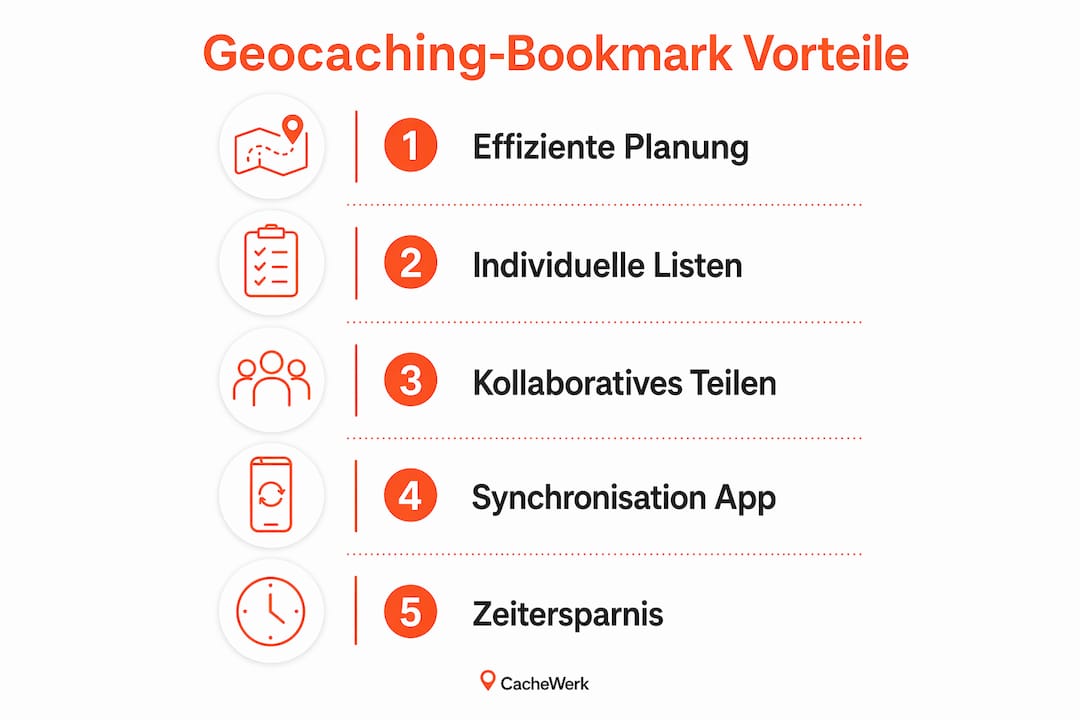
Imagine you're planning a hiking day in the Black Forest. Without a bookmark list, you open the map, see hundreds of pins, and don't know where to start. With a prepared list "Black Forest Hiking Day," you have 15 selected caches along your route, sorted by order. You save decision-making time in the field and increase the chance of finding all planned caches.
Specific advantages at a glance:
- Time saving: No more searching in the field for what cache comes next
- Better preparation: You know in advance what equipment you need
- Cache series: Multi-part series can be fully collected in one list
- Themed tours: "All Earthcaches in the region" or "Historical Sites"
- Offline availability: Saved lists work even without mobile reception
Bookmark lists are more than digital favorites. They are the planning tool that makes the difference between a frustrating search outing and a well-prepared tour. Those who curate their caches in advance go into the field with a clear head and come home with more finds.
Experienced geocachers also use browser-side bookmarking techniques and external map tools to reduce access times and improve cache planning. This means specifically: save frequently visited map sections on Geocaching.com directly as browser bookmarks to avoid having to navigate anew each time.
How do collaborative bookmark lists work?
Collaborative bookmark lists allow for joint editing of lists in the official Geocaching app. You add friends from your contact list as collaborators. They can then add or remove caches from the list without you having to make every change yourself.
The function has also been available for Android users since mid-2026 and can be activated under experimental features in the app settings. iOS users can access it the same way. This is particularly practical for groups planning an event day together.
Typical use cases for collaborative lists:
- Group events: All participants see the same selection and can add caches
- Club tours: Geocaching clubs plan joint excursions in a shared list
- Family caching: Parents and children coordinate on the selection
- Competitions: Teams mark already found caches for coordination
Pro Tip: Always name collaborative lists with the date and participants, for example, “2026-08 Hamburg Group”. This way, you can quickly find old tours later and avoid confusion.
When collaborating on lists, it's important to remember that every collaborator needs an active Premium account. Those with only a Basic account can be invited but cannot make changes. This is a technical limitation that you should keep in mind when planning with a group.
Technical limitations and tips for managing large collections
Premium members can create up to 100 bookmark lists. This sounds like a lot, but active geocachers with several years of experience definitely hit this limit. If you create a separate list for every tour, you'll fill up your quota faster than expected.
Another problem concerns third-party apps. Technical display limits can lead to not all bookmark lists being immediately visible in external apps. Regular updates of the respective app usually resolve these display errors.
| Aspect | Details |
|---|---|
| Maximum number of lists | 100 lists per Premium account |
| Membership required | Premium account for full functionality |
| Collaborative editing | All collaborators need Premium |
| Third-party apps | Display errors possible, updates recommended |
| Synchronization | Automatic with active login |
For managing large collections: Delete lists you no longer need. A list "Black Forest 2019" no longer provides any value to you today. A better strategy is an archiving strategy: Consolidate completed tours into a single archive list and keep only active lists in the main area. This keeps your quota free for new projects.
Those who combine the official Geocaching app with the step-by-step workflow for finding geocaches quickly realize how well bookmark lists and a structured search strategy go together. The list provides the selection, the workflow provides the method.
Key Insights
Geocaching bookmarks are the most effective tool for tour planning because they combine pre-selection, categorization, and collaborative editing into a single function.
| Topic | Details |
|---|---|
| Definition | Bookmark lists are personal cache collections for individual tour organization. |
| List limit | Premium members can create and manage up to 100 lists. |
| Collaboration | Friends can be added as collaborators; all require Premium accounts. |
| Categorization | Structuring lists by region, type, difficulty, or equipment significantly streamlines the search. |
| Technical Maintenance | Regularly update third-party apps to ensure full list display. |
My honest look at Geocaching bookmarks
I underestimated bookmark lists for a long time. At first, I just threw everything into a single list and then clicked through dozens of irrelevant entries in the field. That was frustrating and time-consuming.
The turning point came when I started to separate lists by specific purpose. One list for weekend tours nearby, one for vacation destinations, one for caches with special equipment. Suddenly, preparation was faster and the tours themselves were more relaxed. No more searching, no more hesitation.
What many beginners do wrong: They create too many lists at once and don't maintain any of them properly. Five well-maintained lists beat twenty half-finished ones. Quality over quantity applies here just as much as when hiding a good cache.
The collaborative function really surprised me. Planning a tour with friends without constantly sending screenshots back and forth is a real convenience gain. Especially for group events, where everyone knows their favorite areas, it creates a list that is better than what one person could put together alone.
My advice: Start with three lists. “Next Tour,” “Wishlist,” and “Archive.” That's perfectly sufficient for getting started and can be expanded as needed later.
— Benedikt
Suitable equipment for your next tour
Well-planned tours also require the right equipment. Those who combine their bookmark lists with a complete starter set are prepared from the very first cache.
At Cachewerk, you'll find Geocaching starter bundles with PETling, logbook, and holder, which contain exactly what you need for your first own hides. If you prefer to work with a different suspension, opt for the second starter bundle with an alternative attachment. Both sets are made from durable PETG and designed for outdoor use. Your bookmark list plans the tour, Cachewerk provides the tools for it.
FAQ
What exactly are Geocaching bookmarks?
Geocaching bookmarks are personal lists where you collect and organize geocaches. They are used for tour planning and replace spontaneous searching on the map.
How many bookmark lists can I create?
Premium members can create up to 100 bookmark lists per account since March 2026. Basic members do not have access to this feature.
Can I share bookmark lists with friends?
Yes. The collaborative function in the official Geocaching app allows you to add friends as collaborators. All participants need an active Premium account.
Why are my lists not visible in a third-party app?
Technical display limits can result in external apps not showing all lists. Updating the respective app usually resolves this issue.
How do I best use bookmarks as a beginner?
Start with three lists: one for the next tour, one for wish list destinations, and one as an archive. This simple structure is sufficient for getting started and can be expanded as needed later.