Geocaching Profile: What It Is and How to Use It

A geocaching profile is your digital identity in the geocaching community. It is the central user account on platforms such as Geocaching.com or Opencaching.de, which stores your find and hide history, displays statistics, and allows you to connect with other geocachers. Registration is free and only requires a valid email address and a unique username.
Three reasons why your profile is more than an empty account:
- Personal Logbook: All found and hidden caches are automatically saved, including date and notes.
- Community Business Card: Other geocachers can see your activity, your hides, and send you messages.
- Statistics at a Glance: Number of finds, hide types, and activity overviews are clearly accessible.
Those who buy specialized accessories from Cachewerk benefit twice: a well-maintained profile shows the community what hides you operate and what quality you deliver.
Table of Contents
- What does your profile contain — public, optional, or private?
- How to create and edit your profile
- How to specifically personalize your profile as an owner and DIYer
- What you should consider regarding data protection as a German geocacher
- Which tools help you with statistics and profile analysis?
- Logbook or business card? How to find the right alignment
- Key Insights
- My experience with geocaching profiles
- Accessories for your next hide at Cachewerk
- Sources and further links
What does your profile contain — public, optional, or private?
Not everything you see on your profile is visible to others. The platforms clearly distinguish between public standard data and information you can control yourself.
Publicly visible profile info on most platforms includes the registration date, the number of found and hidden caches, and log pictures. Further details can be selectively hidden in the privacy settings.
| Profile Section | Visibility |
|---|---|
| Username | Public |
| Registration Date | Public |
| Number of Finds / Hides | Public |
| Log Pictures | Public |
| Profile Text / "About Me" | Optional (self-selectable) |
| Email Address | Private (never public) |
| DNF Logs | Optional (platform-dependent) |
| First and Last Name | Voluntary / private |
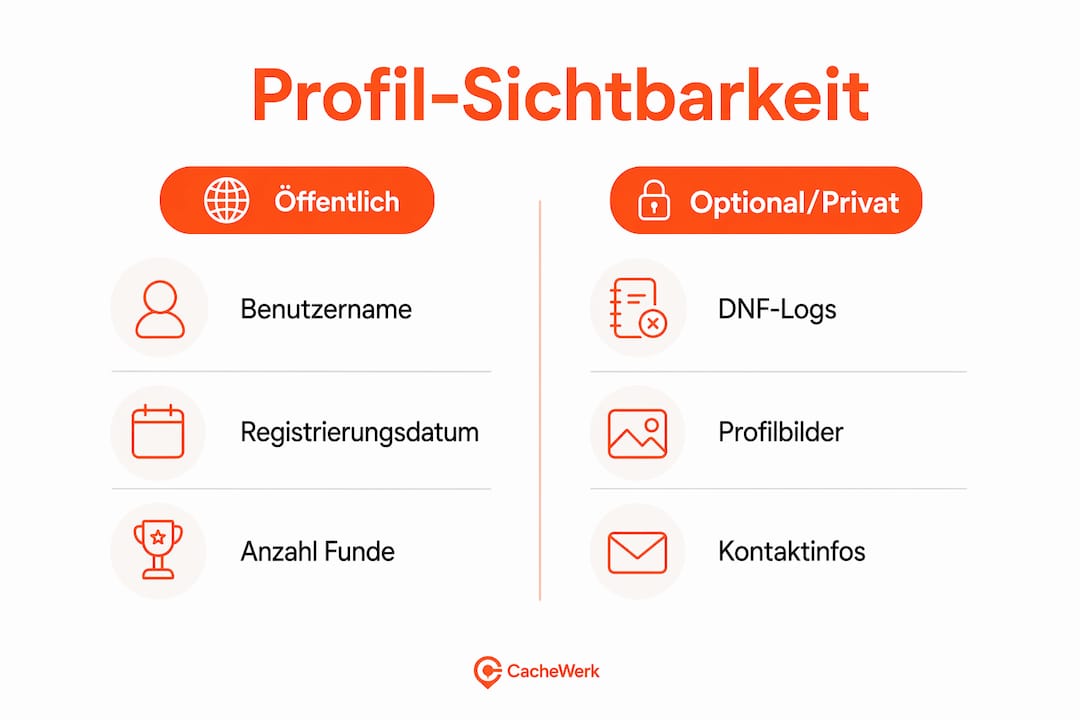
Opencaching.de offers particularly granular settings: for example, you can specifically control the visibility of DNF logs or special cache type distributions. Many users underestimate these options.
How to create and edit your profile
Geocaching.com
- Open geocaching.com and click "Register."
- Enter a valid email address and your desired username.
- Confirm your email via the link in the confirmation email.
- Log in and access your profile via the user menu in the top right.
- Upload a profile picture (avatar) and add an "About Me" text.
- Adjust basic settings such as language, units, and notifications.
Opencaching.de
- Go to opencaching.de and select "Register."
- Enter your username and email. First name, last name, and country are optional.
- Activate your account via the confirmation email.
- Navigate to "My Profile" in the main menu to add a profile picture and text.
Troubleshooting: Haven't received a confirmation email? Check your spam folder and wait up to 10 minutes. On Opencaching.de, you can request the email again via the login page.
Regarding your username: choose it carefully. The name appears in physical logbooks of all caches you find or hide. A later change does not apply retroactively, which can lead to confusion during logbook checks. Owners, in particular, should take this seriously.
How to specifically personalize your profile as an owner and DIYer
The Geocaching app from version 9.1.0 offers extended profile functions: a collapsible header, sorting options for your own caches, and a souvenir preview. For owners and DIYers, these are not mere gimmicks, but real tools.
Which profile areas are worthwhile for owners:
- "About Me" text: Describe your hiding style, your philosophy, and which cache types you prefer. Other geocachers read this before looking for your hides.
- Own hide list: Clearly shows all active caches, including difficulty and type.
- Trackable overview: Those who use personalized trackables can make them visible here and track their journey.
- Souvenirs: Show activity and engagement in the community, even without high find numbers.
Geocaching HQ recommends thinking of the profile modularly: hide unimportant sections, focus on core information. This applies particularly to owners who want to use their profile as a showcase.
Pro-Tip: Use a short, recognizable signature in your "About Me" text, for example, your typical hiding style or a recognizable image. Geocachers who have found several of your hides will immediately recognize you.

What you should consider regarding data protection as a German geocacher
Opencaching explicitly emphasizes data minimization: personal data is not passed on to third parties, and you decide which information is public. Nevertheless, conscious configuration is worthwhile.
Five points you should check:
- Use a separate email address: A dedicated address just for geocaching separates your geocaching activity from private or professional accounts.
- Do not choose your real name as username: First and last name are optional on Opencaching.de. Use this to your advantage.
- Restrict gallery access: Log pictures can reveal information about locations or people. Check who can see your pictures.
- Pay attention to location accuracy in logs: Avoid exact location details in public logs that could reveal sensitive hides.
- DNF logs visible or invisible: On Opencaching.de, you can control whether non-find logs are visible to others. Consider what you want to share.
Pro-Tip: Set up a separate email address just for geocaching. This keeps spam and platform notifications clearly separated, and you can close the account at any time without hassle.
Which tools help you with statistics and profile analysis?
If you want to delve deeper into your profile data, external tools are available. Two have become established in the community:
| Tool | Typical Use Case | Data Privacy Note | Cost |
|---|---|---|---|
| Project-GC | Statistics visualizations, challenge tracking, maps | Access to public profile data | Basic free, Premium paid |
| GSAK | Local cache database, offline analysis, export functions | Data remains local on your device | One-time license fee |
Both tools access public profile data. Those who use external services should check what permissions they grant and whether the provider's privacy policy is transparent. Especially in Germany, this is not a marginal issue.
Experienced geocachers use such tools to visualize their profile history and to make the profile an extension of the classic logbook.
Logbook or business card? How to find the right alignment
This has long been discussed in the community: Is a profile a personal archive of memories or a public showcase? Both are legitimate, but the orientation should be consciously chosen.
| Criterion | Personal Logbook | Community Business Card |
|---|---|---|
| Main Purpose | Personal memories, statistics | Visibility, networking, owner info |
| Profile Text | Personal notes, optionally empty | Description of hiding style, contact info |
| Pictures | Few or none | Representative photos, hide previews |
| Suitable for | Family geocachers, occasional geocachers | Owners, active DIYers, statistics enthusiasts |
| Trackables | Rarely listed | Actively maintained and linked |
Dos for owners: Clearly describe your hiding philosophy, link active caches, and provide hints for special requirements. Don'ts: No spoilers in public profile texts, no exact coordinates or hints that give away the puzzle.
Those who build and maintain their own hides as DIYers clearly benefit from the business card orientation. Family geocachers or occasional finders, however, can keep their profile lean.
Key Insights
A well-maintained geocaching profile is at once a personal archive, a community signal, and, for owners, the most important showcase for their own hides.
| Topic | Details |
|---|---|
| Choose username carefully | It appears in physical logbooks and cannot be changed retroactively. |
| Actively configure data protection | Separate email, no real name, check gallery and log visibility. |
| Use profile as owner's showcase | Use "About Me" text and hide list specifically for cache type and philosophy. |
| Use external tools in a controlled manner | Project-GC and GSAK extend statistics, but access public data. |
| Cachewerk for accessories | Those who build hides will find suitable material for every cache type at Cachewerk. |
My experience with Geocaching profiles
Profiles are underestimated. Many geocachers create an account, never enter a profile text, and then wonder why no one logs or comments on their hides. Yet, the profile is often the first impression a finder gets of you, even before they have searched for your cache.
As an owner, you quickly realize: those who describe their hiding style in their profile and show the care they put into their caches receive higher quality logs in return. The community responds to engagement. An empty profile signals disinterest, even if that's not true at all.
What I particularly recommend: When you first set up your account, take an extra ten minutes for your username and "About Me" text. These decisions will stay with you for years, in digital logs and physical logbooks alike. At Cachewerk, you'll find relevant instructions and accessories that make your hides professional from the start.
Accessories for your next hide at Cachewerk
If you take your profile seriously as an owner, you also need the right material. Cachewerk offers specialized geocaching accessories that fit directly with your projects.
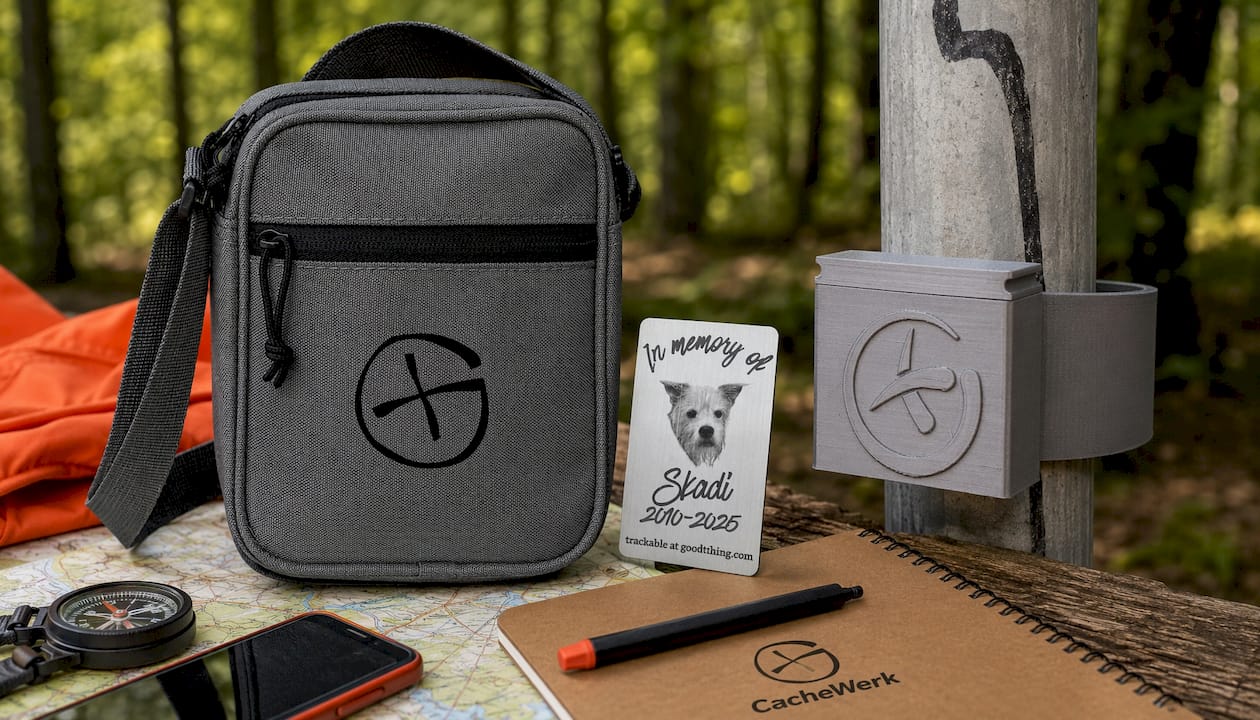
Three products particularly suitable for active owners and DIYers:
- The Crossbody Bag with Opencaching-Logo keeps your accessories handy, whether placing or checking caches.
- The personalizable Trackable can be designed with photos of special people or pets and is a real eye-catcher in any cache.
- The Post Hide for signposts (Ø 60 mm), 3D-printed from PETG, fits perfectly and is barely noticeable for urban hides.
Check out the entire range and find the right accessories for your next cache at cachewerk.de.
Sources and further links
- CacheWiki: Profile — Basic definition and functions of a geocaching profile
- Opencaching-Wiki: User profile — Public data, data protection, and privacy settings on Opencaching.de
- Opencaching.de: Register — Official registration page with data protection information
- Geocaching® Blog: More functions for your app profile — App profile functions from version 9.1.0
- Geocaching® Blog: Make it your profile — Personalization tips from Geocaching HQ
- Abenteuer-Geocaching: Create user account — Practical tips for account creation and username selection
- Geoclub-Forum: Meaningful GC profiles — Community discussion on profile design and expectations
- Cachewerk: Geocaching instructions and DIY tips — Further instructions for beginners and DIYers
Recommendation
- Understanding Geocaching Elevation Profiles: The Practical Guide – CacheWerk
- Combining Geocaching and Hiking: The Practical Guide – CacheWerk
- Geocaching Hide Ideas for Professionals: Masterclass with CacheWerk